
1.1.1.1 + WARP: Safer Internet
Cloudflare, Inc.Tools
4.116.79K Reviews
- Version
- 6.38.12
- Installs
- 100.00M
- Age Rating
- Everyone
Screenshots
Our Review of 1.1.1.1 + WARP: Safer Internet
 Analysis by Appyee
I’m wary of apps that promise to make the whole internet safer with one tap, so what interests me about 1.1.1.1 + WARP: Safer Internet is its specific approach: it creates an encrypted route for your device’s internet traffic. That can be useful when I’m on a connection I don’t control, but it doesn’t make every website trustworthy or turn the phone into an invisible device. The difference matters. I see WARP as a convenient privacy layer for ordinary browsing, not a substitute for careful choices online.
Cloudflare, Inc. makes this free tools app, which has a 4.1 average from around 1.3 million ratings and over 100 million installs. It is rated for Everyone, and version 6.38.7 supports Android 7.0 and newer. The app also offers in-app purchases at $4.99 per item, so the basic way to try it does not require an upfront payment. Those details make it easy to test, but the more important question is whether its particular kind of protection fits the way you use your phone.
What WARP changes about a connection
So, what exactly is 1.1.1.1 + WARP? At first glance, it might seem like just another VPN app, but it’s more than that. Developed by Cloudflare, it promises a safer and more private internet experience. Installing it is a piece of cake. Just head over to the Play Store or App Store, download it, and you’re good to go. The setup is super straightforward, even if you’re not a tech wizard.
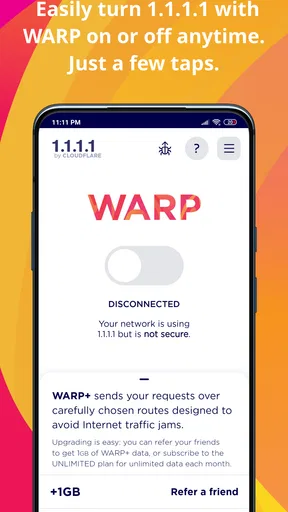
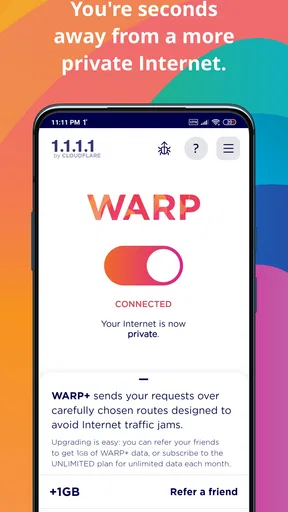
Once installed, you’ll notice the sleek and simple interface. No clutter, no complicated settings—just a big button that says "Connect." Hit that, and you’re instantly connected to a world of safer browsing. It’s almost like magic!
Encryption is useful, but it is not invisibility
The practical benefit is that WARP encrypts traffic between your device and its network, which can make it harder for someone sharing or managing a local connection to inspect that traffic. I value that most on public Wi-Fi, where I would rather not rely on the network being well managed. Encryption is not the same as anonymity, though: websites and services may still recognize you through accounts, cookies, or other signals, and the app cannot make a risky download safe just by routing it differently.
That distinction also helps set expectations about the familiar VPN comparison. Many people choose a conventional VPN because they want to select a country or appear to browse from a different region. WARP is better understood as a privacy and connection tool than as a location-switching service. If changing your apparent country is the main reason you want a VPN, I’d look for a service designed around that job instead.
How the one-tap routine feels day to day
One of the standout features of this app is the way it optimizes your internet speed. When you’re using the internet, speed is key, right? No one likes buffering or slow-loading pages. 1.1.1.1 + WARP uses Cloudflare’s network to enhance your speed, ensuring that your connection doesn’t just protect you—it also feels like you’re zooming through the web.
I’ve personally noticed a significant improvement while streaming videos and browsing heavy websites. It’s like having a turbo boost for your internet. And who doesn’t love a little extra speed?
In everyday use, I’d treat the connection button as a switch to check rather than a set-and-forget promise. For example, if I’m at a café, I can connect before opening email or a banking app, then pay attention to whether the pages and services I need still behave normally. If a site stops loading or an app has trouble connecting, I can briefly disconnect to see whether WARP is the cause, then reconnect afterward. That simple test is more useful than assuming every network problem is fixed by leaving a VPN on.
It is also worth noticing the difference between WARP and changing a phone’s DNS setting. The 1.1.1.1 name is associated with Cloudflare’s DNS service, while WARP adds an encrypted route for device traffic. If all I want is a different DNS resolver, a DNS-only option is the narrower choice; if I want traffic protection on unfamiliar Wi-Fi, WARP is the more relevant mode. Picking the lighter option can avoid routing more of my connection than I intended.
Privacy expectations that hold up
We all know how important privacy is these days. With cyber threats lurking everywhere, keeping your data safe is crucial. That’s where 1.1.1.1 + WARP shines. It encrypts your traffic, making it harder for anyone to snoop around and grab your data. It’s like having a digital cloak, keeping your online activities invisible to prying eyes.
What’s even cooler is that the app doesn’t log any of your data. So, you can rest easy knowing that your browsing history isn’t being tracked or stored. It’s a breath of fresh air in a world where privacy often seems like a luxury.
I wouldn’t read encryption as a guarantee that no one can ever learn anything about my activity. A network tool changes who can readily inspect a connection, but it does not erase the information I share with a site or the identity I use to sign in. I still use unique passwords, avoid suspicious links, and check that a page is the one I meant to open. Those habits address risks WARP cannot solve.
When the paid tier makes sense—and when it doesn’t
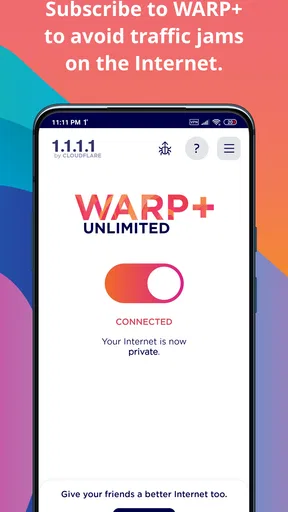
If you’re looking for even more security, the app offers WARP+, a premium service that enhances your protection and speed. It’s like upgrading to first class on your digital journey. WARP+ uses Argo, Cloudflare’s proprietary technology, to route your traffic through the fastest paths.
It’s a paid feature, but if you’re serious about internet privacy and speed, it might be worth considering. I tried it out, and the difference was noticeable. It’s like having an extra layer of armor in your digital arsenal.
I’d be cautious about paying simply because a premium tier sounds more secure. The main reason to consider WARP+ is whether its routing makes a practical difference on the networks and websites I use; a faster route in one situation is not a promise that every connection will improve. I’d first spend time with the free mode during my normal routine, especially at home and on mobile data, and only consider a purchase if I can identify a repeated slowdown that the paid option addresses for me.
There is a broader trade-off with any always-on traffic tunnel: some services may behave differently when a VPN-style connection is active. If a work app, local device, or streaming service has trouble, I would test with WARP off before changing other settings. That quick comparison can separate an app-specific conflict from a weak Wi-Fi signal, and it avoids turning a small connection issue into a lengthy troubleshooting session.
Who gets the most from it
One thing I really appreciate about 1.1.1.1 + WARP is how seamlessly it works across different devices. Whether you’re on your phone, tablet, or computer, the app ensures a consistent experience. It’s like having the same cozy blanket, no matter where you are.
Switching devices is a breeze, and you don’t have to worry about setting it up all over again. Just log in, and you’re protected. It’s as simple as that.
The app is a good fit for someone who wants a quick way to add encryption without learning a pile of networking terms. I’d especially recommend considering it if your phone regularly moves between home Wi-Fi, public hotspots, and mobile data, and you want a simple control you can switch on when the network is unfamiliar. It is less compelling if your priority is choosing a virtual location, managing a detailed list of VPN servers, or fine-tuning a connection for specialized work.
One useful habit is to make a short personal checklist after installing it: test the sites you depend on, note whether any work or payment app objects, and check that the connection is active when you expect it to be. A VPN-style app can be easy to forget once enabled, so a quick check after switching networks helps me avoid assuming protection is on when I have changed a setting or run into a connection issue.
A sensible choice for everyday protection
So, is 1.1.1.1 + WARP: Safer Internet worth it? Absolutely. It’s not just a VPN; it’s a comprehensive tool that enhances your internet experience. From boosting your speed to safeguarding your privacy, it’s like having a Swiss army knife for the web.
If you’re tired of sluggish internet and worried about your online security, give this app a whirl. It’s easy to use, effective, and gives you peace of mind. And let’s be honest, who doesn’t want a safer, faster internet? So, go ahead, hit that download button, and join the safer internet revolution!
My recommendation is more measured: try the free connection on the networks you actually use and judge it by whether it adds useful protection without disrupting your routine. It cannot promise faster service everywhere, hide your identity from sites where you sign in, or replace a location-focused VPN. But for a person who wants a straightforward way to encrypt everyday traffic—particularly when connecting away from home—the simple setup is a real advantage. If you need advanced server controls or a different region, another tool will suit you better; if you mainly want a low-friction privacy layer, WARP is worth a look.
Privacy and Permissions
See what permissions an app requests and how it handles your data.
- Location
- approximate location (network-based), precise location (GPS and network-based)
- Photos/Media/Files
- read the contents of your USB storage, modify or delete the contents of your USB storage
- Storage
- read the contents of your USB storage, modify or delete the contents of your USB storage
- Camera
- take pictures and videos
- Wi-Fi connection information
- view Wi-Fi connections
- Other
- view network connections, full network access, run at startup, prevent device from sleeping
Verdict
Strengths of 1.1.1.1 + WARP: Safer Internet
- Enhances online privacy effectively.
- Speeds up internet connection noticeably.
- User-friendly interface for all ages.
- Free version offers robust features.
- Minimal impact on device battery life.
Limitations of 1.1.1.1 + WARP: Safer Internet
- Limited customization options available.
- May not work with all streaming services.
- Requires regular updates for optimal use.
- Some features locked behind subscriptions.
- Can occasionally disconnect unexpectedly.
Similar Picks in This Category
View All
Google LLC4.0

Gboard - the Google Keyboard
Google LLC4.5

Google Play services
Google LLC4.3

Google Play Store
Google LLC4.9

Files by Google
Google LLC4.5

SHAREit: Transfer, Share Files
Smart Media4U Technology Pte.Ltd.4.3
Frequently Asked Questions
What is 1.1.1.1 + WARP and how does it work?
1.1.1.1 + WARP is a mobile application designed to make your internet experience faster and more private. It uses Cloudflare's global network to encrypt your data and improve security, preventing third parties from snooping on your online activities. The app routes your internet traffic through an optimized server to provide these benefits.
How does 1.1.1.1 + WARP improve my internet speed?
1.1.1.1 + WARP enhances internet speed by using Cloudflare’s extensive network of servers to optimize the path your data takes. This reduces latency and can result in faster load times for websites and apps. However, speed improvements may vary based on your location and network conditions.
Is 1.1.1.1 + WARP free to use, and are there any in-app purchases?
The basic version of 1.1.1.1 + WARP is free, offering enhanced privacy and security features. There is also a premium subscription called WARP+, which uses Cloudflare's Argo technology for potentially even faster connection speeds. WARP+ is available as an in-app purchase.
What platforms is 1.1.1.1 + WARP available on?
1.1.1.1 + WARP is available for both Android and iOS devices, making it accessible to a wide range of smartphone users. The app can be downloaded from the Google Play Store for Android and the Apple App Store for iOS, ensuring easy installation and updates.
Does using 1.1.1.1 + WARP protect me from all online threats?
While 1.1.1.1 + WARP enhances privacy by encrypting your data and securing your internet connection, it does not make you invulnerable to all online threats. Users should still be cautious about phishing scams, malware, and other security risks. It is recommended to use it alongside other security measures.
